


Quotations & Estimates That Convert Into Invoices in One Click
Send a professional quote, let your client approve it online, and turn it into an invoice without retyping a single line — tax and discounts included.
38,000+Businesses billing
84,000+Invoices generated
150+Countries served
4.6/5App Store rating
What Are Quotations & Estimates?
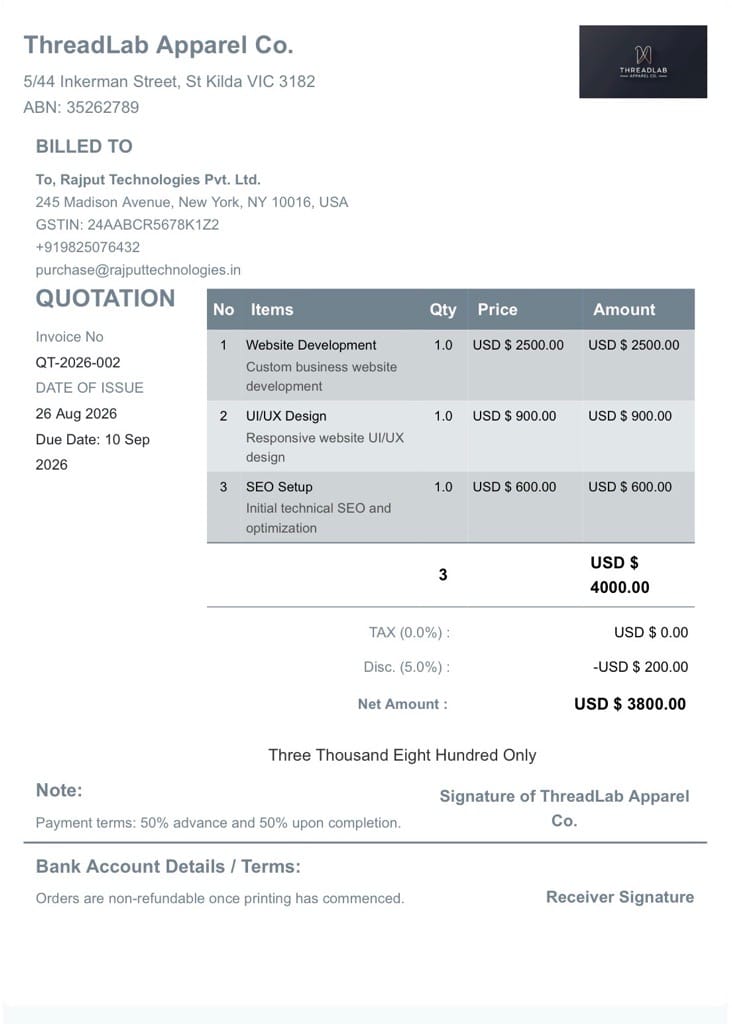
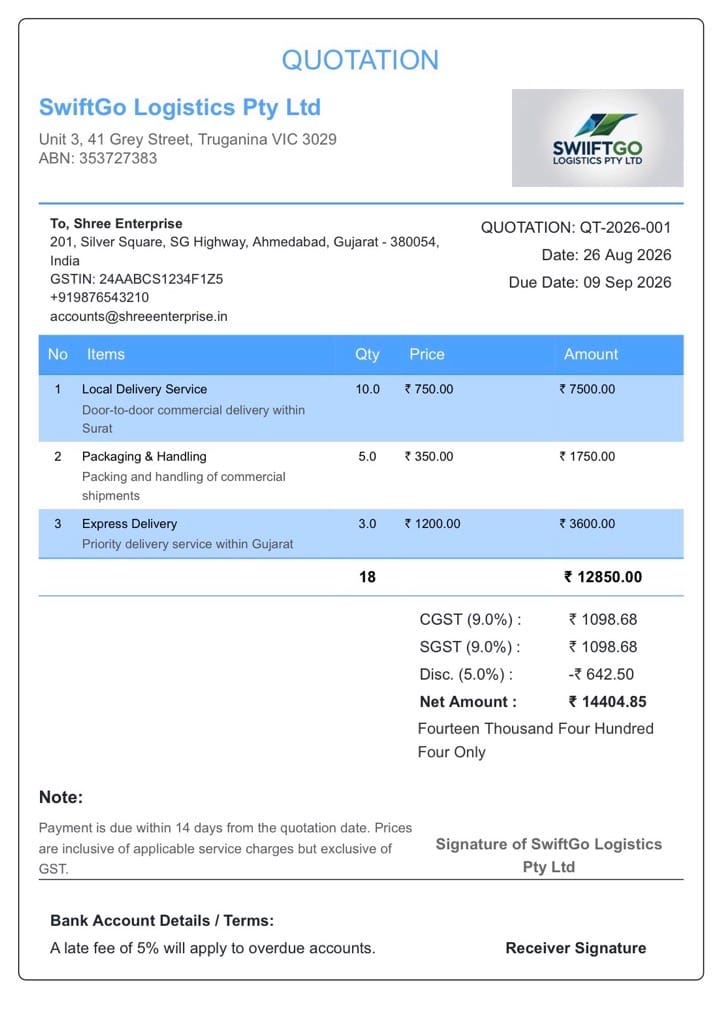
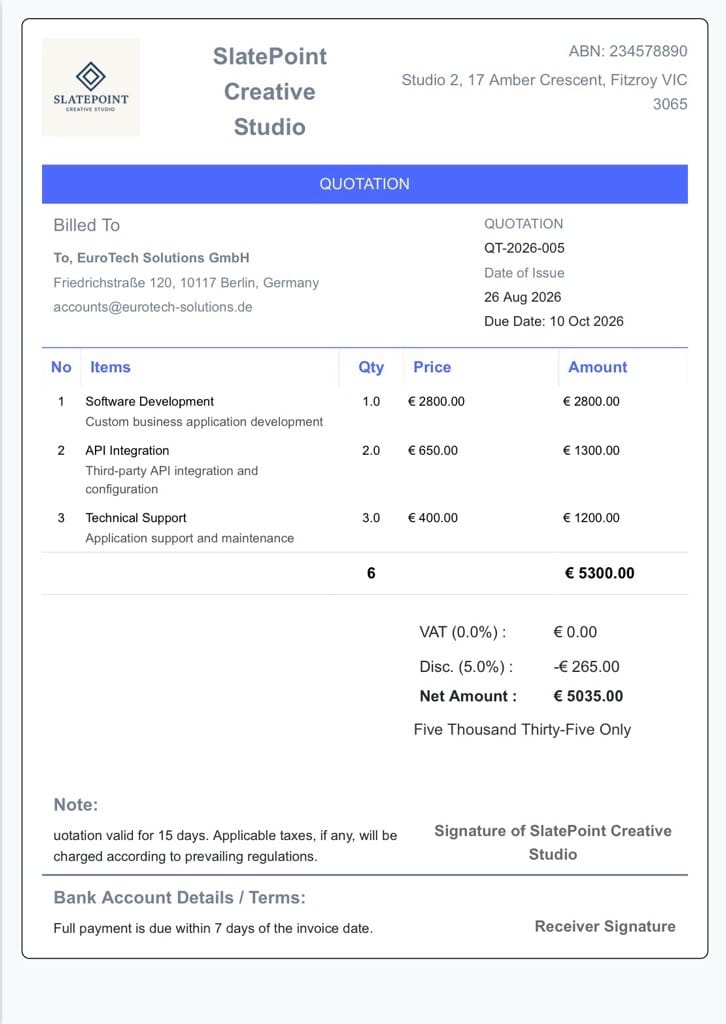
A quotation, or estimate, is a document that states the price for work before it’s carried out, so a client can approve the cost upfront. BillNama lets you build itemized quotes with tax and discounts, send them for approval, and convert an approved quote straight into an invoice — no retyping, no separate tool.
Quote vs. estimate vs. invoice: a quotation or estimate proposes a price before work starts; an invoice requests payment after work is done or delivered. BillNama treats a quote and an invoice as the same document at different stages, so approving one creates the other automatically.
Everything Quoting Needs
Price a job, get it approved, and start billing — without leaving one connected flow.
Professional Quote Templates
Build a clean, itemized quote in seconds and add your logo and brand colors.
Line Items & Discounts
Break a job into priced line items and apply discounts before you ever send an invoice.
Client Approval Online
Clients approve or decline a quote with a link — no back-and-forth emails needed.
One-Click Convert to Invoice
An approved quote becomes an invoice instantly, with every line item carried over.
Automatic Tax on Quotes
GST, VAT, or Sales Tax calculates correctly on the quote, not just the invoice that follows it.
Quote Expiry Dates
Set how long a price is valid for, so old quotes don’t get approved at outdated rates.
From Quote to Paid in 3 Steps
1
Build the Quote
Add line items, discounts, and tax, then send it to your client for review.
2
Client Approves Online
Your client accepts or declines with a link — no printing, signing, or scanning.
3
Convert to Invoice
One click turns the approved quote into an invoice, ready to send and get paid.
Built for Businesses That Price Before They Bill
Contractors & Renovators
Send a detailed cost estimate before a job starts, so there are no surprises later.
Creative & Marketing Agencies
Quote a project scope, get sign-off, and bill the exact same line items.
Consultants
Price out engagements clearly before committing time to a new client.
Freelancers
Give a firm price upfront instead of guessing what a client expects to pay.
More Than Quoting — Run Your Whole Billing Cycle
Quotations & Estimates connects directly to the rest of BillNama, so a quote, an invoice, and a payment all live under the same customer record.
Invoicing & BillingBill once a quote is approved
Recurring InvoicesTurn an approved quote into ongoing billing
Proforma InvoicesConfirm an order before the final invoice
ExpensesTrack costs against the quote you priced
Customer LedgerSee every client’s full balance & history
Reports & EarningsTrack quote-to-invoice conversion over time
Multi-Currency InvoicesQuote international clients correctly
Invoice SignaturesGet formal sign-off on approved quotes
Send Invoice on WhatsAppSend quotes where clients reply fastest
US Sales Tax InvoicesState-correct tax on every quote
VAT InvoiceUK, EU & Gulf VAT on quotes and invoices
GST InvoicesCGST/SGST/IGST handled on every quote
Recurring InvoicesTurn an approved quote into ongoing billing
Proforma InvoicesConfirm an order before the final invoice
ExpensesTrack costs against the quote you priced
Customer LedgerSee every client’s full balance & history
Reports & EarningsTrack quote-to-invoice conversion over time
Multi-Currency InvoicesQuote international clients correctly
Invoice SignaturesGet formal sign-off on approved quotes
Send Invoice on WhatsAppSend quotes where clients reply fastest
US Sales Tax InvoicesState-correct tax on every quote
VAT InvoiceUK, EU & Gulf VAT on quotes and invoices
GST InvoicesCGST/SGST/IGST handled on every quote
Why Quote With BillNama Instead of a Document Template
- No retyping — an approved quote becomes the invoice automatically
- Clients approve online, so there’s no printing or emailed PDFs to chase
- Tax, discounts, and expiry dates are built in, not bolted on
- Free forever plan — no card required to send your first quote
Frequently Asked Questions
What is a quotation or estimate?
A quotation or estimate is a document that states the price for work or goods before it’s carried out or delivered, so a client can approve the cost upfront.
What’s the difference between a quote, an estimate, and an invoice?
“Quote” and “estimate” both refer to a proposed price before work starts. An invoice is a request for payment after the work is done or delivered. BillNama lets an approved quote convert directly into an invoice.
Can clients approve a quote online?
Yes. Clients get a link to approve or decline the quote directly — no printing, signing, or emailing scanned copies.
Does an approved quote automatically become an invoice?
Not automatically, but it converts in one click — every line item, discount, and tax calculation carries over so you don’t retype anything.
Can I add discounts or multiple tax rates to a quote?
Yes. You can apply discounts and the correct tax rate for your business’s country to any quote, the same way you would on an invoice.
Does a quotation expire?
You can set a validity period on any quote, so it’s clear the price no longer applies once that date passes.
Is quotation software free on BillNama?
Yes. The free forever plan includes up to 2 quotations a month with no credit card required — separate from the free invoice and proforma invoice allowances. Paid plans remove that limit.
Can I send a quote through WhatsApp?
Yes. A quote can be shared as a link or PDF over WhatsApp, the same way an invoice can.
Can I customize the quote template with my logo and branding?
Yes. Add your logo and brand colors, and choose from multiple quote templates.
Can I edit a quote after sending it?
Yes, as long as it hasn’t been approved yet. Once approved, converting it to an invoice keeps the agreed details intact.
Ready to Quote Faster and Get Approved Sooner?
Join 38,000+ businesses using BillNama to quote, get approved, and bill — free forever.