


VAT Invoices That Apply the Right Rate, Automatically
Set your country once, and BillNama applies the correct VAT rate standard, reduced, or zero to every invoice you send.
40,000+Businesses billing
92,000+Invoices generated
150+Countries served
4.6/5App Store rating
What Is a VAT Invoice?
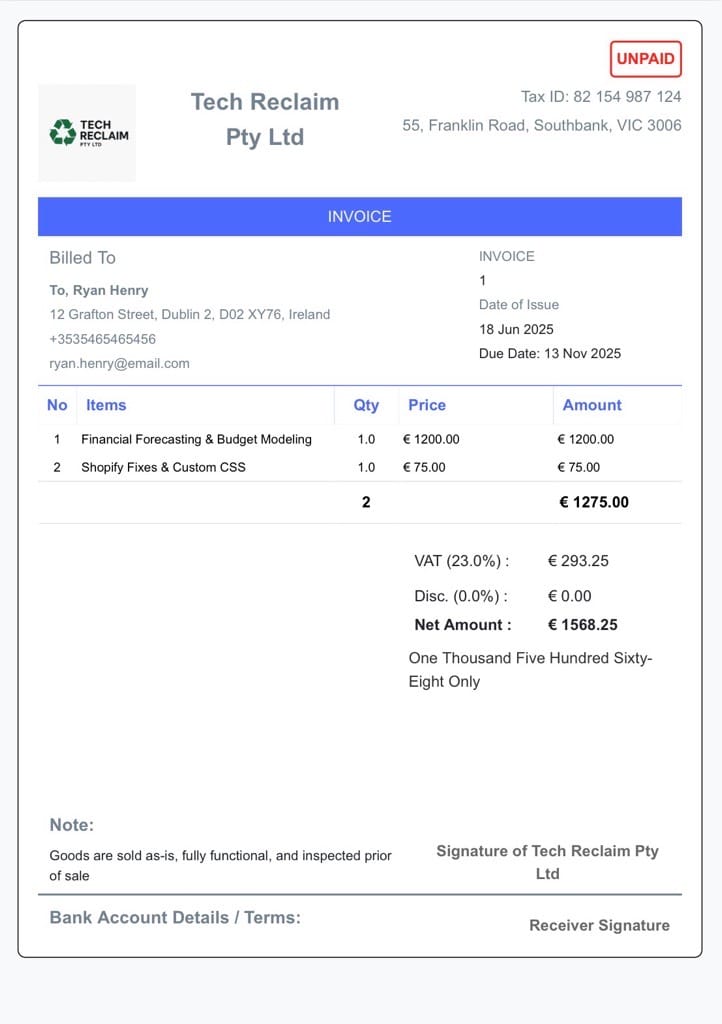
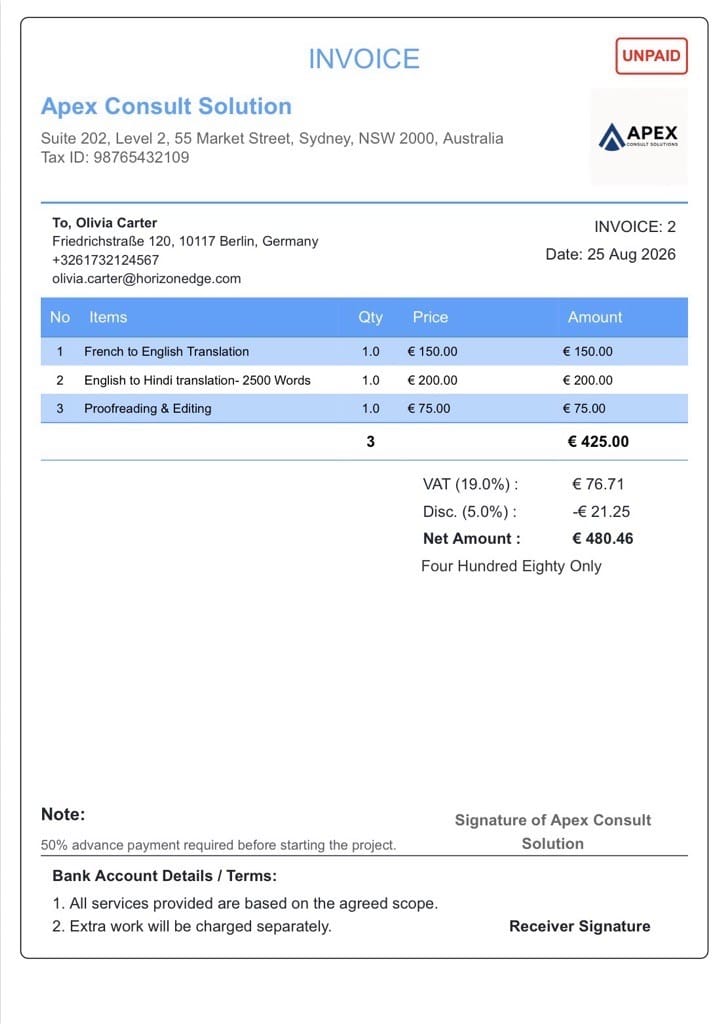
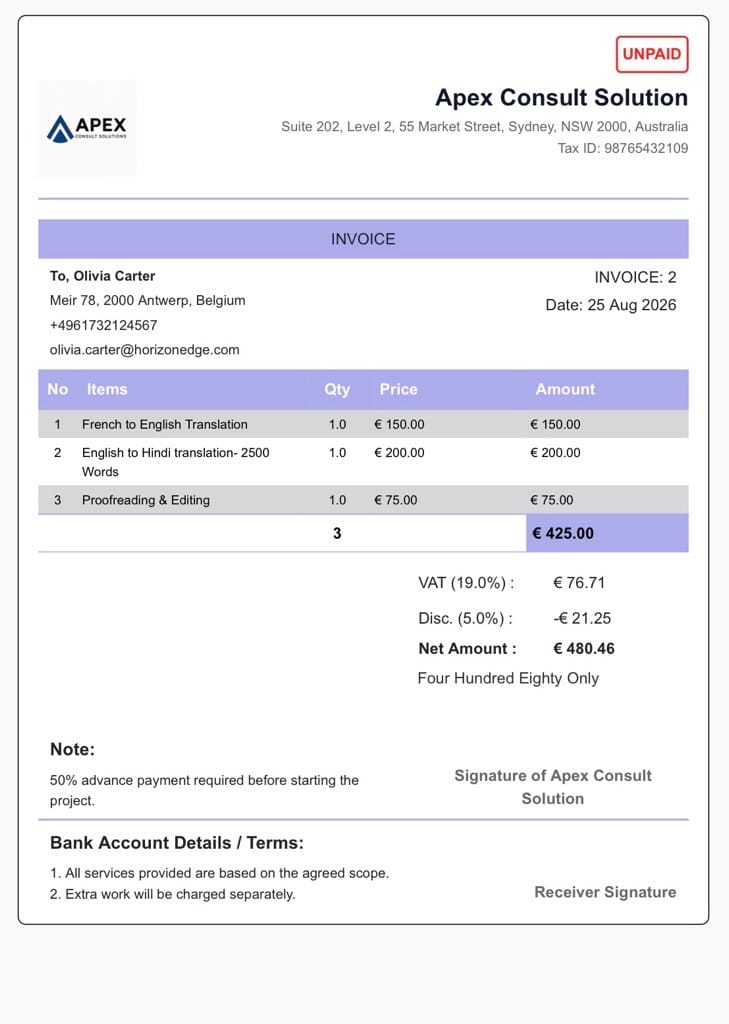
A VAT invoice shows Value Added Tax applied correctly for the country your business operates in — the UK, an EU member state, or a Gulf country like the UAE or Saudi Arabia. BillNama applies the right VAT rate automatically based on your business’s registered country, including standard, reduced, or zero rates where they apply.
VAT vs. sales tax vs. GST: VAT is charged at each stage of a supply chain and is standard across the UK, EU, and Gulf; US sales tax is charged once at the point of sale; GST is a similar multi-stage tax used in countries like India. BillNama applies whichever format matches your business’s country.
Everything VAT Invoicing Needs
Set your country once, and every invoice after that gets the VAT rate right.
Correct VAT Rate by Country
Set your business’s country once, and the right VAT rate applies automatically.
Standard, Reduced & Zero Rates
Apply the right VAT category for what you’re billing, not just one flat rate.
No Manual VAT Lookups
Skip searching for the current rate or updating a spreadsheet formula yourself.
Works With Multi-Currency Invoices
VAT calculates correctly even when billing an international client in their own currency.
Clear VAT Breakdown
Every invoice shows VAT as its own line, not folded into the total.
Consistent Across Invoice Types
The same correct rate applies whether it’s a one-time or recurring invoice.
Billing With VAT in 3 Steps
1
Set Your Country
Add your business’s country once in your BillNama settings.
2
Bill Normally
Create the invoice exactly as you always would — nothing extra to configure.
3
VAT Calculates Itself
The correct VAT rate is applied and shown clearly on the invoice.
Built for Businesses in VAT Countries
UK Small Businesses
Bill clients with the correct standard, reduced, or zero VAT rate applied.
EU Freelancers & Agencies
Invoice clients across EU member states without manually tracking each country’s rate.
Gulf-Based Businesses
Apply the 5% VAT rate correctly for UAE, Saudi Arabia, and other Gulf countries.
Cross-Border Traders
Bill clients in other VAT countries with the right rate for your registered business.
More Than VAT — Run Your Whole Billing Cycle
VAT Invoice connects directly to the rest of BillNama, so tax-correct billing works the same way as everything else.
Invoicing & BillingBill with the correct VAT on every invoice
Recurring InvoicesVAT recalculates correctly every cycle
Quotations & EstimatesQuote with VAT included before you bill
Proforma InvoicesPreview VAT before the order ships
ExpensesTrack deductible costs alongside VAT sales
Customer LedgerSee VAT-inclusive balances per client
Reports & EarningsSee VAT collected in your reports
Multi-Currency InvoicesVAT works alongside foreign currencies
Invoice SignaturesGet sign-off on a VAT-correct invoice
Send Invoice on WhatsAppDeliver VAT-correct invoices where clients reply
US Sales Tax InvoicesState-correct tax for US clients
GST InvoicesCGST/SGST/IGST handled automatically
Recurring InvoicesVAT recalculates correctly every cycle
Quotations & EstimatesQuote with VAT included before you bill
Proforma InvoicesPreview VAT before the order ships
ExpensesTrack deductible costs alongside VAT sales
Customer LedgerSee VAT-inclusive balances per client
Reports & EarningsSee VAT collected in your reports
Multi-Currency InvoicesVAT works alongside foreign currencies
Invoice SignaturesGet sign-off on a VAT-correct invoice
Send Invoice on WhatsAppDeliver VAT-correct invoices where clients reply
US Sales Tax InvoicesState-correct tax for US clients
GST InvoicesCGST/SGST/IGST handled automatically
Why Get VAT Right With BillNama
- No manual VAT rate lookups or spreadsheet formulas
- Standard, reduced, and zero rates supported, not just one flat rate
- Works the same on one-time and recurring invoices
- Included free — no extra fee to bill with correct VAT
Frequently Asked Questions
What is a VAT invoice?
A VAT invoice shows Value Added Tax applied correctly for the country your business operates in, following that country’s standard, reduced, or zero rate rules.
Which countries does BillNama support for VAT?
BillNama supports VAT for the UK, EU member states, and Gulf countries like the UAE and Saudi Arabia.
Does BillNama apply reduced or zero VAT rates?
Yes. BillNama can apply the standard, reduced, or zero VAT rate depending on what you’re billing for.
Is VAT invoicing free on BillNama?
Yes. Correct VAT calculation is included free within your normal invoicing allowance, with no separate fee or limit.
Does BillNama handle VAT reverse charge for cross-border sales?
BillNama applies the VAT rate for your registered business country. For cross-border reverse charge scenarios, check with your accountant on how it applies to your specific situation.
Do I need to be VAT-registered to use this feature?
BillNama applies whatever VAT rate you configure for your business. Whether you’re required to register for VAT depends on your country’s registration threshold rules — check with your accountant or local tax authority.
Can I apply VAT alongside discounts?
Yes. VAT calculates correctly even when a discount is applied to the same invoice.
Does VAT show as a separate line on the invoice?
Yes. VAT appears as its own clearly labeled line, not folded into the total.
Can I use this for recurring invoices too?
Yes. The correct VAT rate is recalculated automatically on every recurring invoice cycle.
Can I see VAT collected in my reports?
Yes. VAT collected is reflected in your Reports & Earnings automatically.
Ready to Bill With the Right VAT Every Time?
Join 40,000+ businesses using BillNama to bill with correct VAT — free forever.